
2026 Amazon Prime Day Starts June 23! The Ultimate Money-Saving Forwarding Guide for UK
📌 TL;DR|Key Takeaways
・Dates: June 23 – 26, 2026 (Starting 3:01 PM MYT on June 23). Unprecedentedly moved to early summer to avoid the World Cup and US Semiquincentennial.
・Top Deals: Record-low prices expected on AirPods Pro 3 and 15″ MacBook Air M5. Features new Alexa AI “Auto-buy” and 365-day price history tracking.
・The UK Challenge: Many heavily discounted items don’t ship directly to UK, or incur exorbitant international shipping fees.
・The Solution: Use Buy&Ship’s parcel forwarding service to shop at local US/UK prices, consolidate packages from multiple countries for free, and ship to UK cost-effectively.
2026 Amazon Prime Day is officially set for June 23-26 . This 4-day event is the year’s most anticipated shopping festival for Prime members! During this period, Amazon Prime sections in the US, UK, Italy, and Canada will simultaneously launch massive discounts. From the latest Apple releases and tech gadgets to daily essentials, prices are expected to hit all-time lows. However, many of these steal deals are not available for direct shipping to UK. To get the best prices and selection, the most reliable method is using Buy&Ship’s overseas forwarding service: secure local discounts at checkout, consolidate your global purchases, and ship them back to UK efficiently.
Table of Contents
→ 2026 Prime Day: Dates, Highlights & Savings Guide
→ Prime Day Tutorial: Register, Activate & Cancel
→ Global Prime Day Schedule (MYT)
→ Tutrorial : Amazon Prime Registration
→ How to Cancel Amazon Prime
→ Frequently Asked Questions (FAQ)
→ Crucial Overseas Shopping Tips
2026 Prime Day: Dates, Highlights & Savings Guide
The 2026 Amazon Prime Day runs from Tuesday, June 23 to Friday, June 26. Delivering 4 days of exclusive deals for Prime members.
The 2026 Amazon Prime Day has been uncharacteristically moved to early summer to avoid clashing with the FIFA World Cup and the US Semiquincentennial. This extended 4-day event brings deeper discounts and introduces Alexa AI for automated shopping. Here are 5 core highlights:
Highlight 1: US, IT, and CA Sync Up; JP and AU Delayed to July
This June’s Prime Day happens simultaneously across the US, Italy, and Canada Amazon sites, allowing for cross-border shopping sprees! Conversely, the popular Japan and Australia Amazon sites will not participate in June; their events are delayed until July (Australia is confirmed for July 7-13). We recommend focusing on the Western sites now and saving budget for JP and AU next month!
Highlight 2: June 23-26, 4 Days Non-Stop
Starting Tuesday, June 23 and concluding on Friday, June 26, retaining last year’s 4-day format. Lightning Deals and limited-time doorbusters will refresh constantly. The earlier you browse, the better your chances of securing top items.
Highlight 3: AI Shopping: Alexa Auto-Buy & 365-Day Price Tracking
Prime members can now use Alexa for Shopping to set target prices; when an item hits that price, it triggers an “Auto-buy.” Additionally, Amazon has unlocked a 365-day price history on millions of items, allowing you to easily spot fake discounts and ensure genuine value.
Highlight 4: Must-Buy Categories: Apple, Tech & Home Essentials
Expect historical low prices on the latest AirPods Pro 3 and 15″ MacBook Air M5. Huge discounts are also confirmed for ASUS and HP laptops, alongside home appliances from Sony, Logitech, and Ninja.
Highlight 5: Early Deals & Free Trials
Hundreds of Early Deals are already live. If you aren’t a member, we highly recommend signing up for a 30-Day Free Trial right before the event to access all exclusive discounts at zero cost.
Prime Day Tutorial: Register, Activate & Cancel
- Register: Use different email addresses to register accounts for the specific regions (US/CA/IT) you wish to shop in.
- Activate Prime: Apply for a 30-day free trial or subscribe to access all Prime Day discounts.
- Cancel: Remember to cancel your membership in the account center before the trial ends to avoid auto-renewal charges.
1. Registration – Use Different Emails per Region
Amazon’s account security is stricter during Prime Day. Because Western Amazon accounts share data, we recommend using different email addresses for different regions (US/CA/AU). This ensures that if Amazon flags one account, your access to other regions remains unaffected.
When registering or checking out on US Amazon, you must use the specific “Amazon / eBay” address and phone number found in your Buy&Ship US Portland (Tax-Free) Warehouse details.
2. Activate Prime
Prime memberships are region-specific. Alongside shopping discounts, benefits include Prime Video, Amazon Music, and Prime Gaming in that region. For the US, eligible users can grab a 30-day Free Trial or pay US$1.99 for a 7-day trial.
3. Cancel Prime
If you don’t intend to stay subscribed, you will be charged automatically once the trial ends! Ensure you cancel via the Amazon membership center before the deadline.
Global Prime Day Schedule
| Region | UK Time (UK) – 2026 Prime Day |
|---|---|
| US Amazon | June 23, 08:01 – June 27, 07:59 |
| UK Amazon | June 23, 00:01 – June 27, 12:59 |
| Italy Amazon | June 23, 23:01 – June 27, 22:59 |
| Canada Amazon | June 23, 08:01 – June 27, 07:59 |
| Australia Amazon | July 6, 15:00 – July 13, 14:59 |
| Japan Amazon | To Be Announced (Later this Summer) |
US Amazon
June 23, 08:01 – June 27, 07:59
UK Amazon
June 23, 00:01 – June 27, 12:59

Italy Amazon
June 23, 23:01 – June 27, 22:59
Canada Amazon
◆ June 23, 08:01 – June 27, 07:59
Australia Amazon
July 6, 15:00 – July 13, 14:59
Japan Amazon
◆ Event scheduled for later this summer; dates TBA.
Tutrorial : Amazon Prime Registration
Step 1
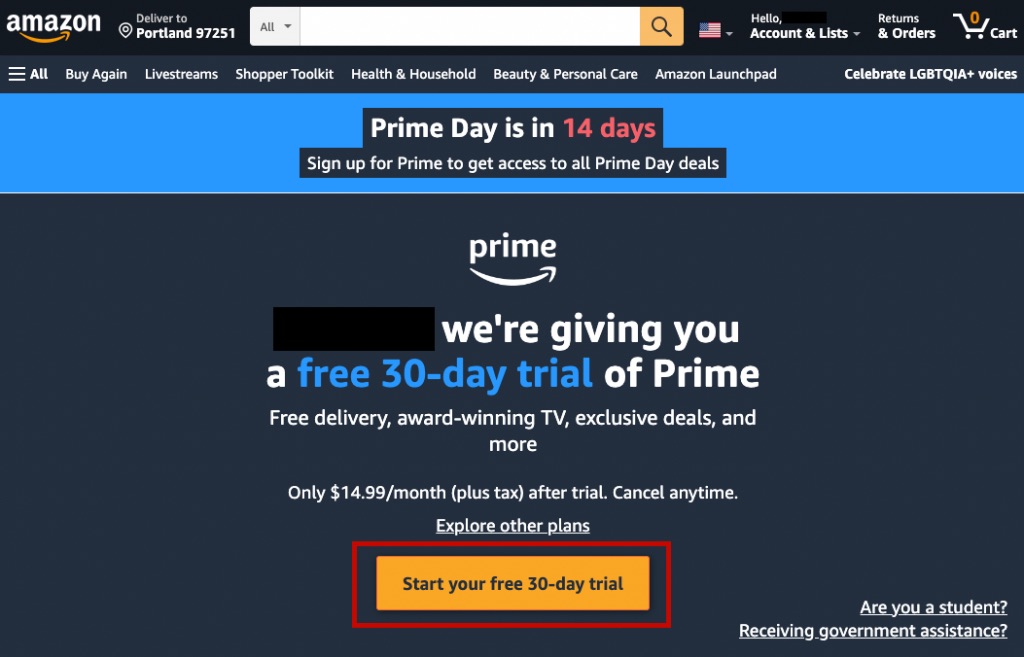
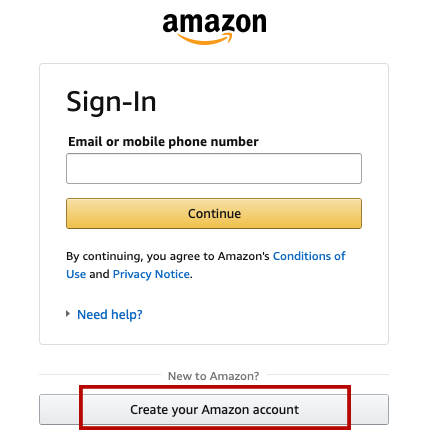
Visit the login page and click “Start Your 30-Day Free Trial“.
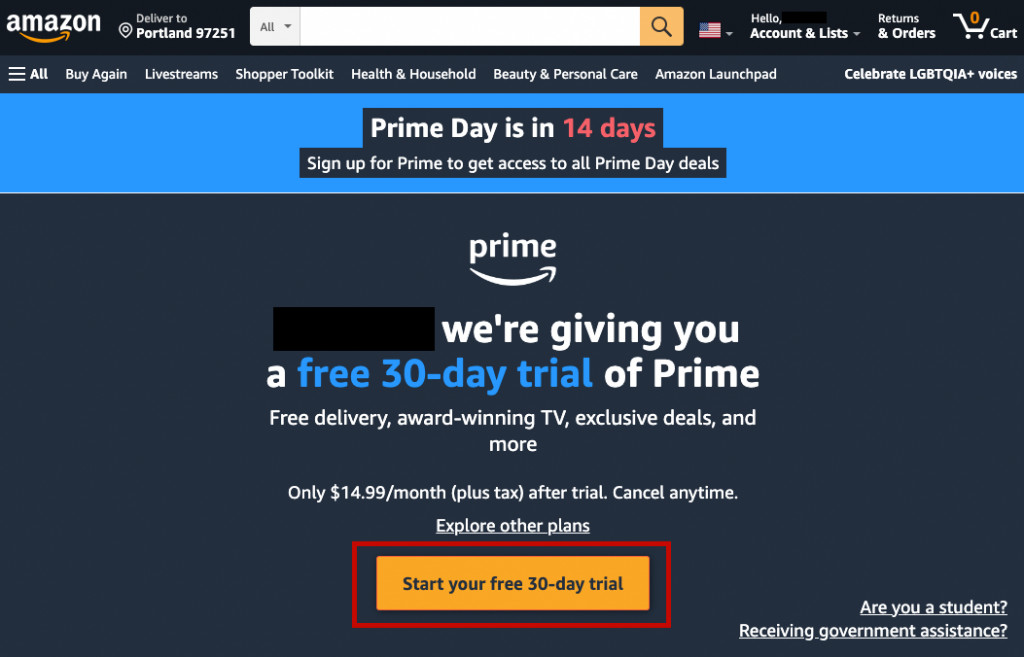
Step 2
Login or create your Amazon account. Remember to fill in the membership details if it is your first registration.
Step 3
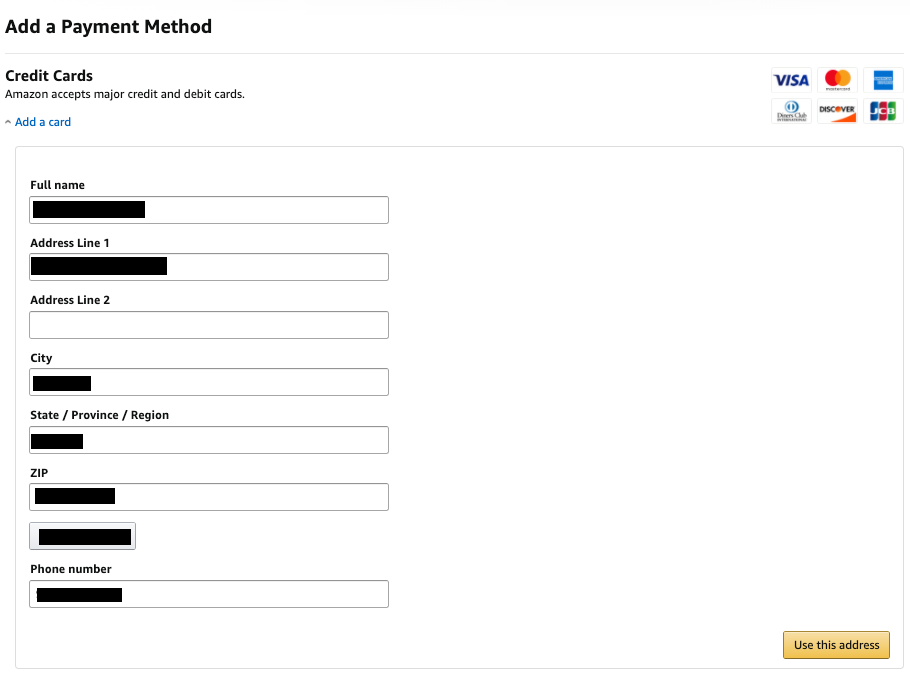
Enter payment card details for your first purchase. Add the correct Buy&Ship warehouse address in the Billing Address page.
If you’ve already filled in the above details before, just click ‘Start My Free Trial‘ to enjoy the Prime membership discount!

Step 4
You only get 30 days free trial, or you will be charged after the free trial ends. Remember to unsubscribe from the Prime membership after 30 days.
💡 Tips : It’s free of charge to create an account on Amazon for easier and convenient shopping! You will get invited to try their fast and free delivery with Amazon Prime Trial month. But don’t forget to cancel your Prime membership within the first month if you don’t want to get charged each month!
How to Cancel Amazon Prime
Here is an example using US Amazon (steps for other regions are similar, though button text may vary slightly):
Step 1: Log into your Amazon account. Hover over “Account & Lists” in the top right, go to “Prime Membership,” and click “End Trial and Benefits” (or “End Membership” for paid users).
Step 2: Amazon will offer alternatives to keep you; simply click “End My Benefits”.
Step 3: Click “Continue to Cancel”.
Step 4: Confirm one last time by clicking “Cancel Membership”.
Step 5: If another retention prompt appears, click “Continue to Cancel” again.
Step 6: Once cancelled, your Prime benefits will remain active until the end of your billing cycle or the 30-day trial period (the exact date will be shown in a red box). You can still enjoy all Prime benefits until then.
Important Notes Before Canceling
- Desktop Path: Account & Lists → Prime Membership → Manage Membership → Update, cancel and more → End Membership. Scroll to the bottom of each page to find the confirmation buttons.
- Mobile App Path: Open Amazon App → Tap the “Profile” icon at the bottom → Your Account → Account Settings → Prime Membership → Manage Membership.
- Set a Reminder for Free Trials: You won’t be charged if you cancel before the 30-day trial ends. Set a phone reminder immediately upon activation.
- Refund Policy: Paid members who haven’t used any Prime benefits may be eligible for a full refund (usually processed within 3-5 business days). Monthly members who have used benefits (like free shipping or Prime Video) typically won’t receive a refund for that month, but benefits will continue until the cycle ends. Amazon Policy
- Third-Party Subscriptions: If you activated Prime through a telecom provider or partner service, you must contact them directly to cancel. You cannot cancel via Amazon.
Prime Day Frequently Asked Questions (FAQ)
Q1: Can I participate without a Prime membership?
No, Prime membership is required. We recommend registering for the 30-day Free Trial to access all deals during the event. Just remember to cancel before the trial ends to avoid fees.
Q2: Do Free Trial members get the same discounts?
Yes, Free Trial members enjoy the exact same Prime Day discounts as paid members. As long as your 30-day trial is active during the event, you can shop all exclusive deals.
Q3: Which Prime Day countries does Buy&Ship forward from?
Buy&Ship supports forwarding from major Amazon sites including the US, UK, Japan (JP), Canada (CA), Australia (AU), and Italy (IT).
Crucial Overseas Shopping & Forwarding Tips
To ensure a smooth Prime Day checkout and avoid account suspension by Amazon’s security systems, please observe the following tips:
1. Use Different Emails for Different Regions:
Amazon tightens account security during Prime Day. Since Western Amazon accounts share data, we recommend using a distinct email address for each region (US/UK/CA/AU).
2. Use the “Amazon / eBay” Specific Address:
When registering or ordering on US Amazon, use the dedicated “Amazon / eBay” address and phone number provided in your Buy&Ship US Portland Warehouse details. Existing Amazon users can decide whether to update their address based on past order success.
3. Payment Consistency:
Set your Billing Address to match your Shipping Address (the warehouse address) to reduce the risk of payment failure.
4. Credit Card Verification:
Whenever possible, use a credit card that supports Two-Factor Authentication (e.g., requires a CVV or SMS verification code) for smoother transactions.